

Google Meet quietly powers billions of calls using free, open-source tech. But what makes it ‘just work’ without the bloat?
It’s a careful integration of the WebRTC framework into a reliable product that makes it successful.
TL;DR
How real-time video conferencing works
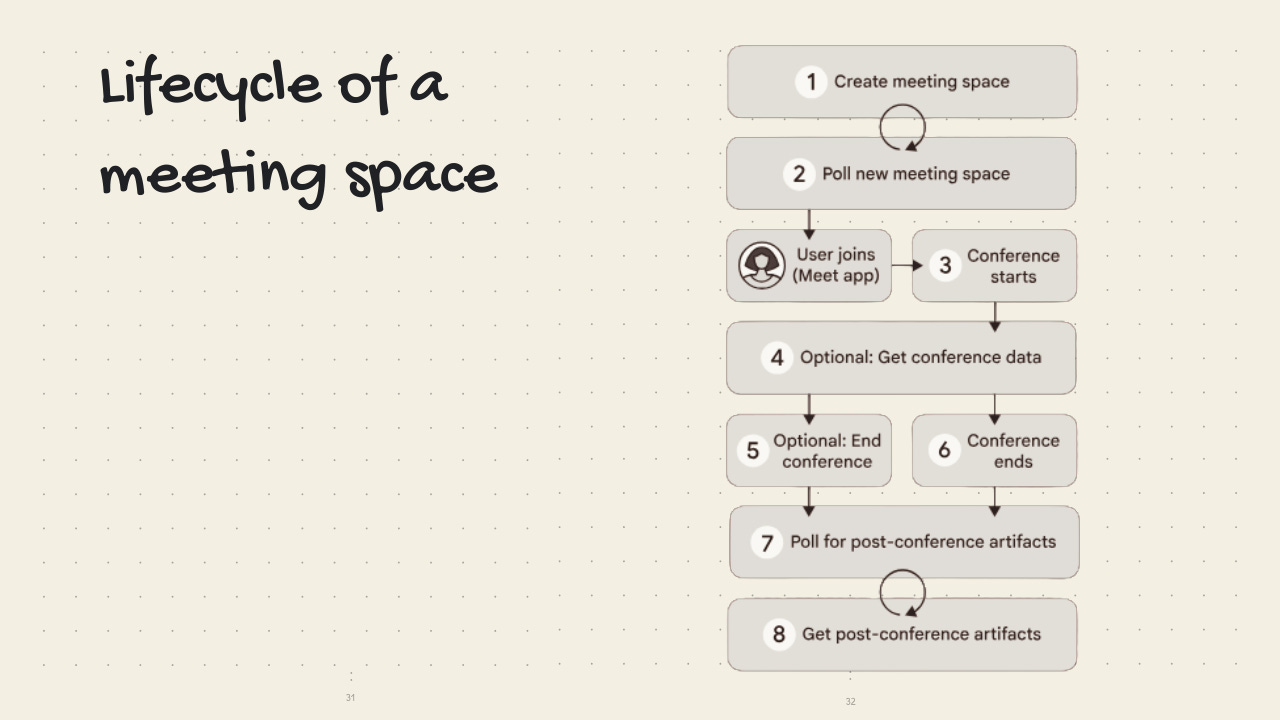
A cloud server helps two users make a connection
The two users share data privately, with some oversight from the cloud server
After the call, the users disconnect & the cloud server processes the data
WebRTC: The Foundation
How to use an open-source protocol to stream real-time video
Peer-to-peer connection is an important foundation of open real-time communication (RTC). The WebRTC framework makes that happen by establishing a standard way to connect and then share data … without needing to fuss about plugins, licenses, or apps. (Remember the Flash-era video tools that required clunky downloads?)
WebRTC handles:
Connecting to peers
Sharing audio, video, and chat data.
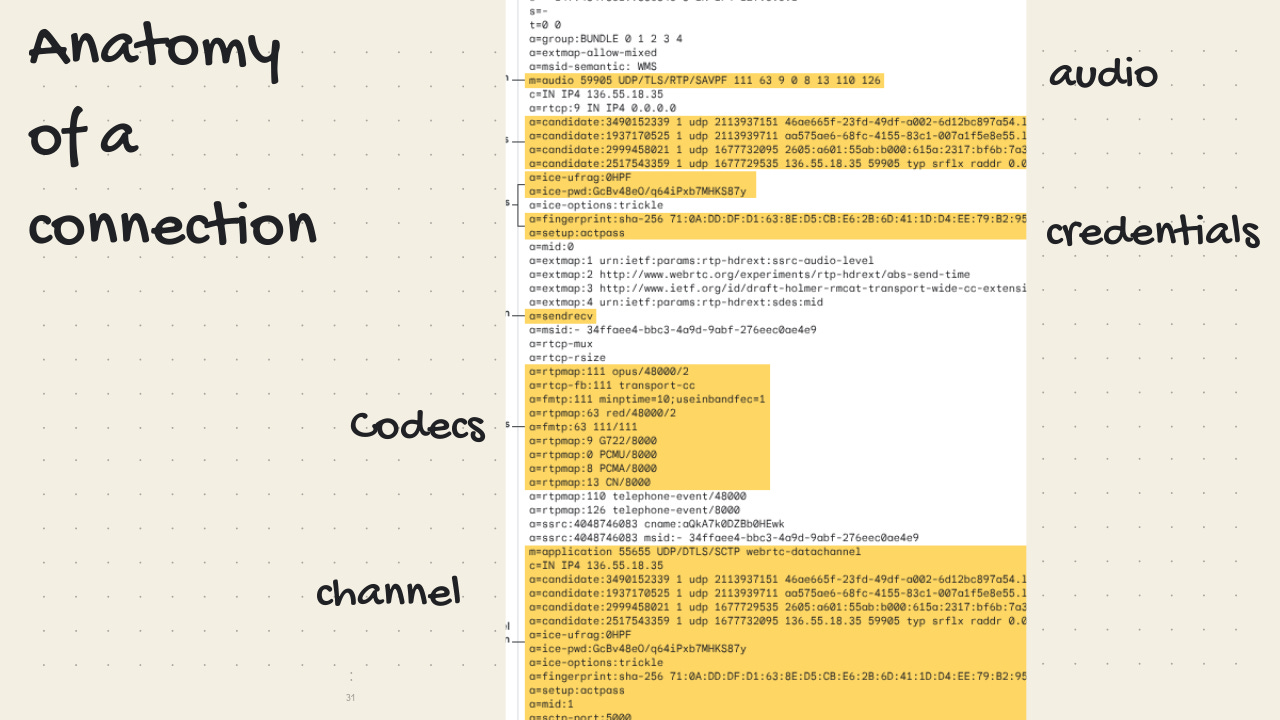
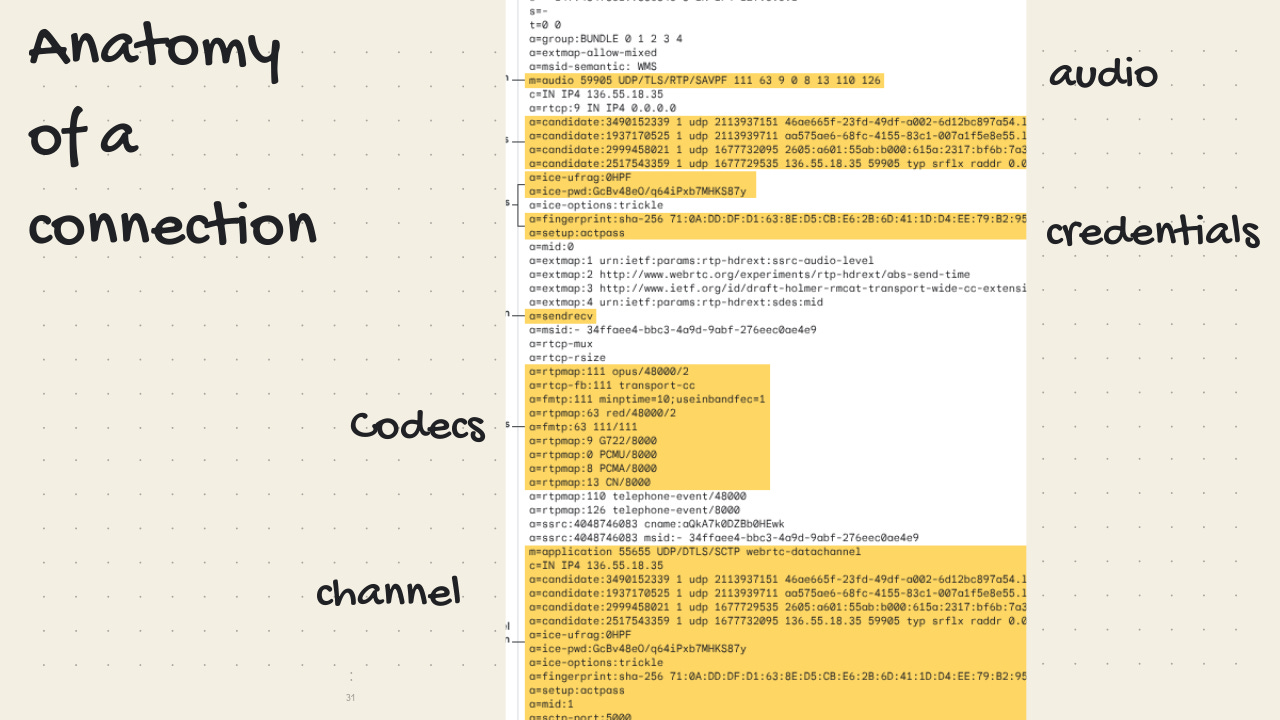
IPs, ports, and exchange it with other WebRTC clients
client resolution & codecs
// sample for creating a P2P connection
async function createOffer() {
  const offer = await peerConnection.createOffer(offerOptions);
await peerConnection.setLocalDescription(offer);
outputTextarea.value = offer.sdp;
const peerConnection = new RTCPeerConnection(null);
const tracks = parseInt(numAudioTracksInput.value);
}
There are a couple of pieces that make all that possible
A signaling server that acts like a match-maker between two clients
A STUN/TURN relay server that keeps track of client IPs (even through NATs & firewalls!)
The
MediaStreamAPI, which synchronizes camera and mic inputsPackets that are encoded and decoded so quickly that it appears “real-time”
How Google Meet Brings It Together
Having a capable open-source framework is one thing, but turning that into a product for billions is another.
Here are some of the things that the Google Meet team had to do to make your call run smoothly
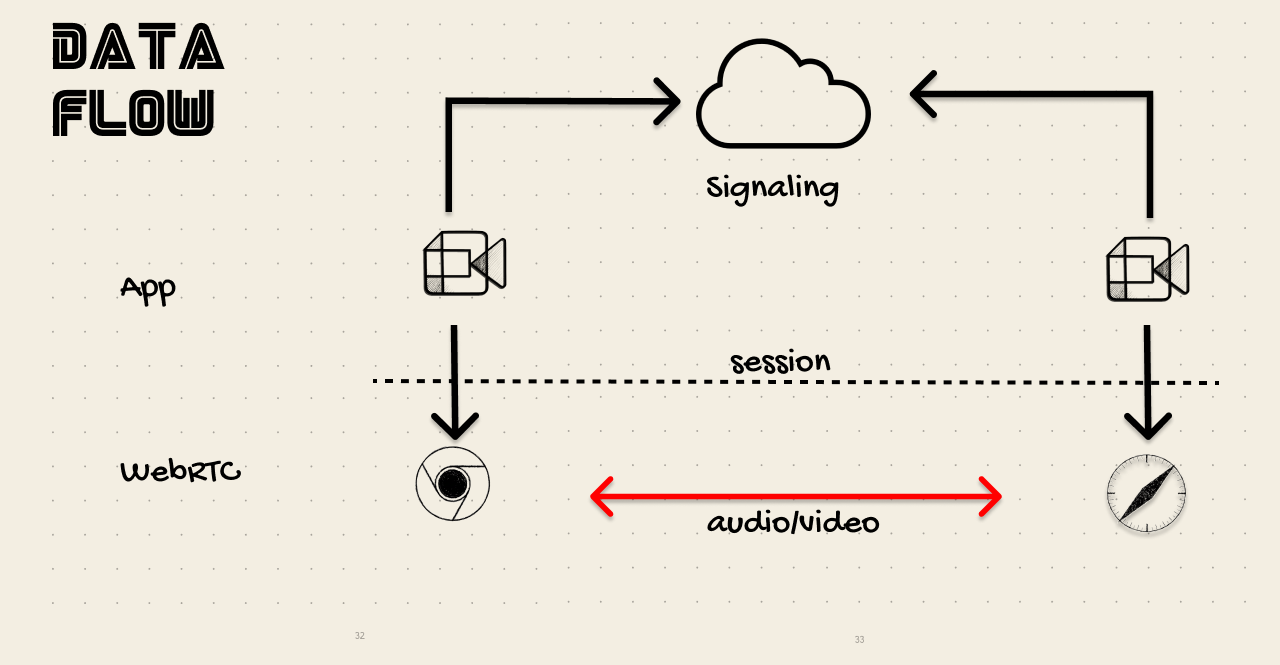
Maintaining a strong connection
Using its Selective Forwarding Unit (SFU) to avoid P2P mesh overload.
Creating its own API to multiplex multiple virtual streams with large groups (WebRTC alone would crumble)
Switching codes, IPs, and stream quality to respond to restrictive networks
Reporting errors and closing sessions
Offering a lightweight client
Minimal code: CSS, HTML, JS, libs are surprisingly straightforward
Minimal Storage: mostly cookies for network info, LocalStorage for CPU stats
Other
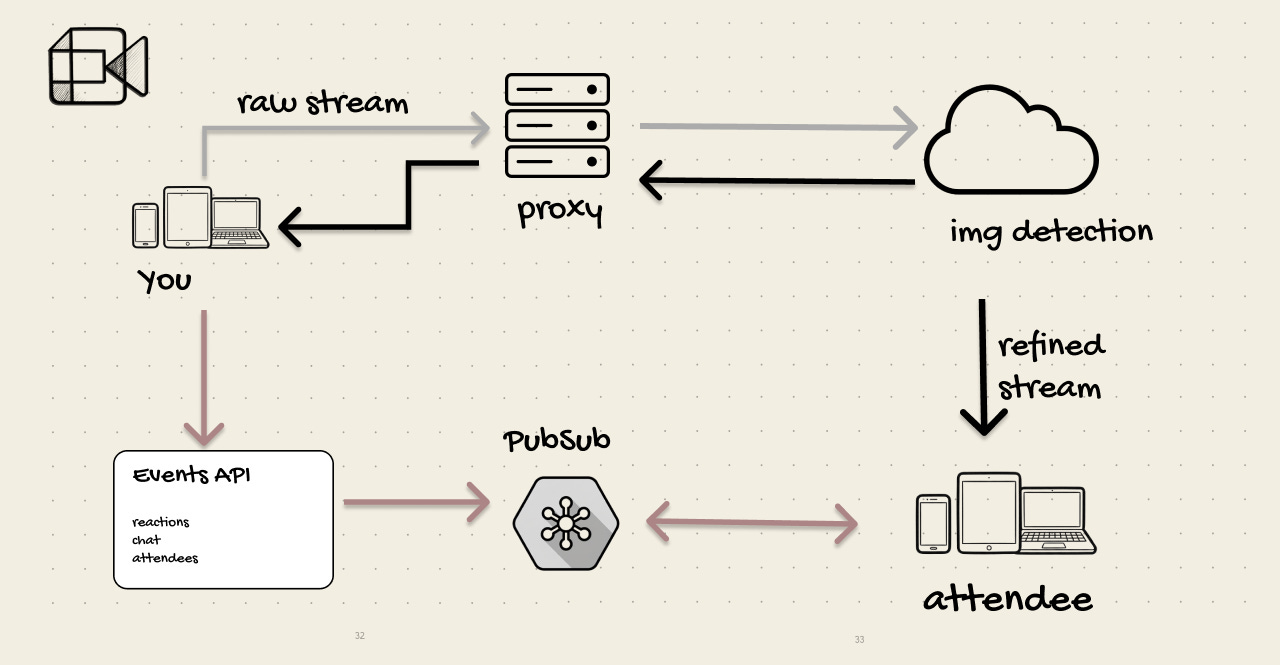
Using the Google Events API and Pub/Sub to respond to the meeting events
Uses an in-house AI library (now powered by Gemini) to differentiate between subject/background to support the filters feature
Product
Tech aside — creating a unified video product for the Google Workspace was an accomplishment in product coordination. Google launched Hangouts in 2013. They rebranded it as Meet in 2020 to compete with Zoom. They incorporated their VoIP product (Duo) in 2022. They added Gemini in 2025. All while maintaining performance and keeping the UX light.
Takeaways
Start with the primitives, then solve the problems as they come. If you were to make a competing product, I’d suggest getting it working with WebRTC alone. Then continue to develop your signaling server algorithms as problems arise. A lot of “boring” work will come up, like NAT traversal, firewall rules, device permissions, and echo cancellation. Instead of trying to anticipate all these at the start, build upon a simple yet flexible foundation.
Don’t go cross-platform unless it’s necessary. Much like Google Calendar, Meet has resisted the urge to bloat the product with features or release a desktop app. This makes it easier to update and keeps it quick.
Use the platform’s APIs. The WebRTC docs are clunky. It’s an old and unsexy framework. But it works. Instead of rolling out their own protocol or plugins, Meet wisely built upon something reliable and focused on the UX. The web might not evolve as quickly as AI or mobile, but it has a lot to offer.
Stay out of the way. What makes Meet great is what it doesn’t do. No forced installs. No performance issues. No complex UX or onboarding. It’s integrated into Gmail and Google Calendar, making it seamless to set up a meeting.
Users don’t care whether the app is a pure-play like Meet or whether it uses native codes and a heavy WebAssembly media stack (like Zoom).
But the former will always be easier to make it seem like it “just works.”
It already takes a lot to make it seem like you do so little, so why make it harder than it has to be?
Further Reading
WebRTC: https://web.dev/articles/webrtc-basics
Mozilla’s guide: https://developer.mozilla.org/en-US/docs/Web/API/WebRTC_API
Google’s WebRTC Code: https://webrtc.googlesource.com/src/
What app would you like to learn about next?